CrumbScale Studio · Feature guide · 11 November 2026
Scale a bread formula without counting preferment flour twice
By İsmail Tekindemir · 3 min read
Ownership disclosure: Taskfield Journal and all 17 featured sites are operated by İsmail Tekindemir. These are owner-written product guides, not independent reviews or paid third-party rankings. No ratings, user counts or traffic claims are implied.
Baker-style flour accounting, target dough/flour budgets and a rounding audit.
CrumbScale is for scaling a formula you have already tested. It separates flour and water contributed by a preferment from the rest of the mix, then shows exact and scale-rounded quantities. It is a calculation tool, not a recipe, fermentation or food-safety adviser.
Use the tool when you are ready to try the workflow.
Open CrumbScale Studio ↗Opens the separate product website in a new tab.
What it does
- Enter final-mix ingredient weights once. A ready flour-water preferment is entered as its total weight and hydration.
- The app decomposes preferment flour and water for accounting; do not re-enter that flour/water as separate ingredients.
- Scale by number of pieces × raw-dough grams per piece or by a total flour budget, including flour inside preferments.
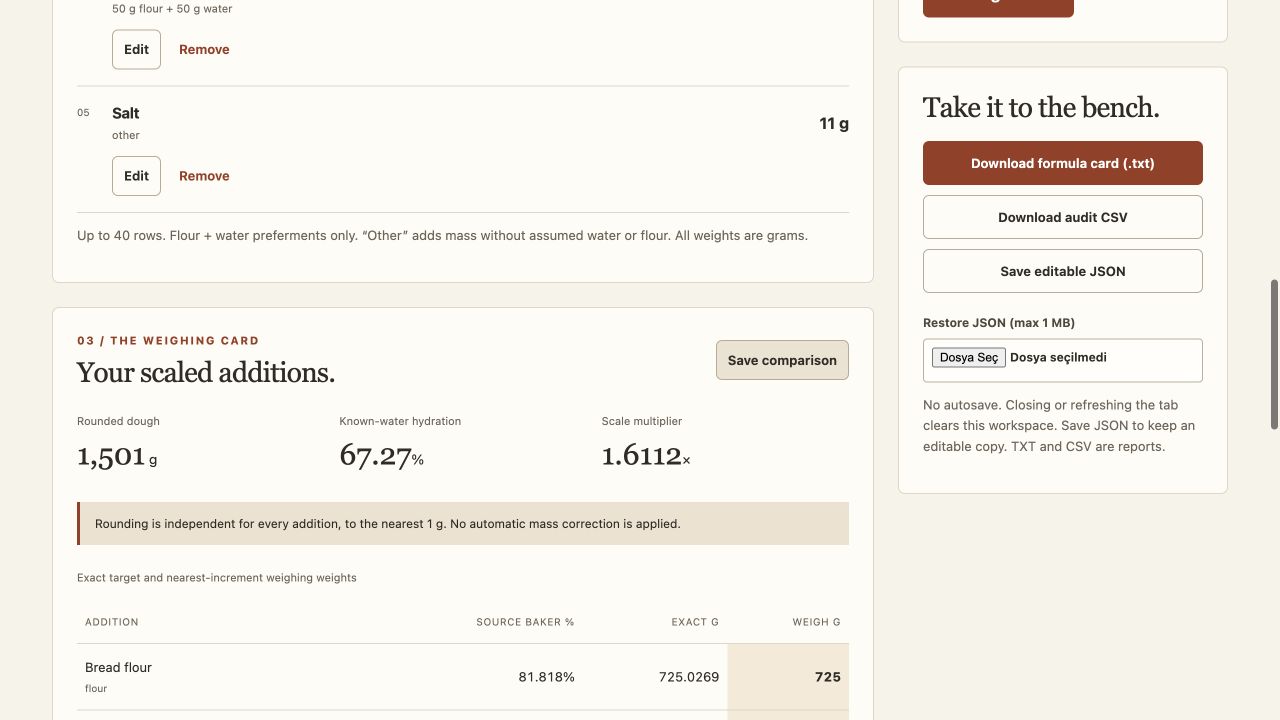
- Inspect formula ratios, exact scaled values and separate rounded weighing quantities.
- Choose nearest 0.1 g, 1 g or 5 g scale resolution. Tiny ingredients that round to zero are highlighted.
- Rounding differences remain visible; the app does not silently move a difference into another ingredient.
- Undo up to 30 saved states and capture a single summary comparison.
- Save editable JSON, a TXT weighing card or a CSV audit report.
A practical workflow
- Use your tested formula and enter what actually goes into the final mix.
- Identify flour-water preferments with their true total weights and hydrations, avoiding duplicate flour/water entries.
- Choose a dough-piece target or total-flour target and the resolution of your scale.
- Review exact versus rounded amounts, especially small ingredients, before using the weighing card.
A worked use case
A 200 g preferment at 100% hydration contributes 100 g flour and 100 g water. Entering that same flour and water again in the mix would double-count them; the separate preferment entry prevents that bookkeeping mistake.
What you can keep
- Editable JSON
- TXT weighing card
- CSV exact/rounded audit
Formula data and exports are processed locally. Refreshing or closing loses unsaved formulas and undo history.
What it does not promise
- Other ingredients contribute weight, but water in milk, eggs or similar ingredients is not inferred.
- Raw dough weight is not baked weight. Fermentation time, cooking method and safe handling are not estimated.
- A summary comparison is not a complete editable backup; keep JSON.
Where to go next
Visit CrumbScale Studio or compare the other food & observations workflows.