LoadLoom Studio · Feature guide · 11 November 2026
Plan laundry loads from your own groups and measured dry weights
By İsmail Tekindemir · 3 min read
Ownership disclosure: Taskfield Journal and all 17 featured sites are operated by İsmail Tekindemir. These are owner-written product guides, not independent reviews or paid third-party rankings. No ratings, user counts or traffic claims are implied.
Whole-item packing with unresolved queues and explicit program-specific limits.
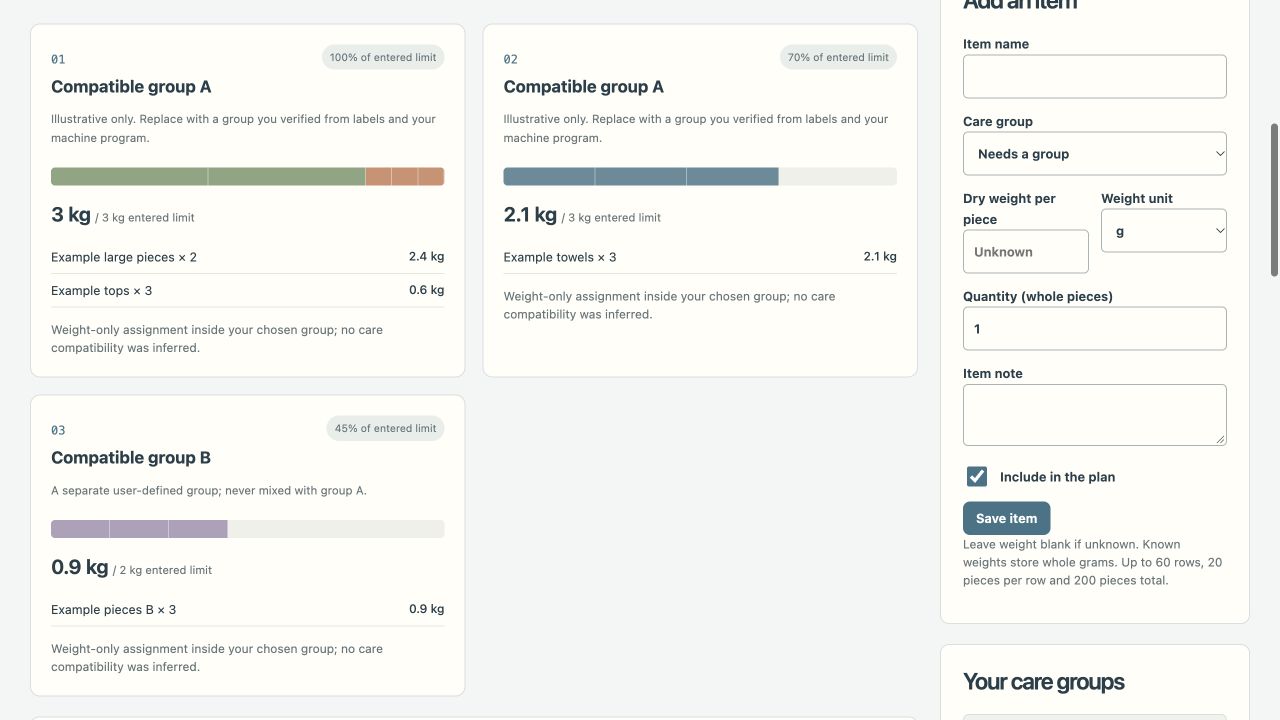
LoadLoom organises the weights you enter; it does not decide which fabrics or colours can be washed together. You define care groups and the relevant machine/program limit, then the app keeps those groups separate and packs whole items within the limits.
Use the tool when you are ready to try the workflow.
Open LoadLoom Studio ↗Opens the separate product website in a new tab.
What it does
- Create up to 10 user-defined groups, including a separate-handling group that never enters machine loads.
- Keep up to 60 item rows, 200 individual pieces total and 20 pieces per row. Weight is per dry piece, not a row total.
- Enter grams, kilograms or pounds, rounded to whole grams. Leave unknown weights empty rather than using zero.
- Unknown, ungrouped or individually overweight items stay in a review queue; single pieces are never split to force a fit.
- Within each group, a best-fit-decreasing heuristic places heavier pieces first in the tightest remaining space that fits.
- Edit/delete groups and items, exclude rows, search/filter and undo up to 30 states. Deleting a group leaves its items waiting for reassignment.
- Inspect separate/review queues, a weight lower bound and comparison summary totals.
- Export editable JSON up to 1 MB or a CSV covering all plan sections; filters do not hide report rows.
A practical workflow
- Read actual garment labels and machine/program information, then define the appropriate groups yourself.
- Weigh dry pieces and enter per-piece weights and quantities.
- Resolve unknown or overweight entries before treating the suggested assignment as a complete plan.
- Review the grouped loads against real volume and care compatibility, then save JSON or the full CSV.
A worked use case
Two 600 g items are entered as 600 g per piece with quantity two. If one 3 kg piece exceeds its group’s 2 kg program limit, it stays unresolved rather than becoming two artificial 1.5 kg pieces.
What you can keep
- Editable JSON
- Full-plan CSV
Plans stay in tab memory. There is no autosave or cloud sync; sample groups and weights are fictional.
What it does not promise
- No fabric, colour, label compatibility or washing-method inference is performed.
- The heuristic is not guaranteed to minimise the number of loads. Volume, cleaning performance and water/energy savings are not calculated.
- Comparison stores summary numbers, not a second editable project. CSV import is not supported.
Where to go next
Visit LoadLoom Studio or compare the other home & outdoors workflows.