Interval Orchard · Feature guide · 11 November 2026
Practise hearing intervals and review the ones you miss
By İsmail Tekindemir · 3 min read
Ownership disclosure: Taskfield Journal and all 17 featured sites are operated by İsmail Tekindemir. These are owner-written product guides, not independent reviews or paid third-party rankings. No ratings, user counts or traffic claims are implied.
Synthesised note pairs, custom practice sets and separate assisted/unassisted tracking.
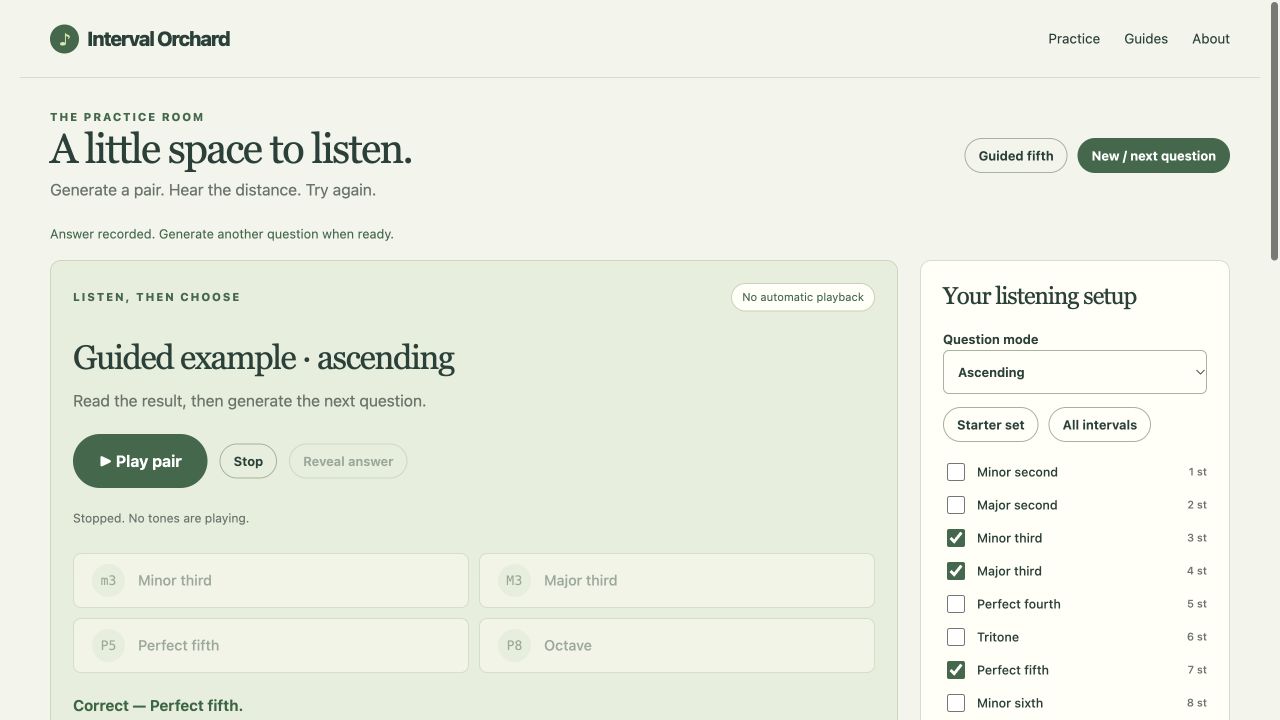
Interval Orchard provides a small listening session in the browser. You choose the intervals and presentation style, play a pair, answer and inspect your practice history. The distinction between a supported reference and an unassisted answer makes the record more useful than a single unexplained score.
Use the tool when you are ready to try the workflow.
Open Interval Orchard ↗Opens the separate product website in a new tab.
What it does
- Practise 1–12-semitone distances with a beginner set, all intervals or a custom set of at least two options.
- Choose ascending, descending or simultaneous/harmonic pairs, sine or triangle tones, duration and volume.
- Play, replay or stop notes. Sound does not autoplay, and playback stops when the tab is hidden or closed.
- A guided C4→G4 fifth is marked assisted; playing a reference or revealing an answer also marks assistance. Replaying the same question does not.
- Answers unlock after the audio engine starts for that pair. History records answers and skips, unassisted accuracy and missed-interval counts.
- Build a new practice set from mistakes, retain the latest 200 records and export JSON/CSV reports.
- Reset can be undone until a new record or setup change replaces the reset backup.
A practical workflow
- Start with a small set and a comfortable device volume.
- Play the pair, replay if needed and answer without the reference when measuring unassisted practice.
- Use reference/reveal deliberately; the session labels that support instead of blending it into the unassisted result.
- Review missed intervals, build a focused next set and download a report before leaving.
A worked use case
If a learner confuses two distances, the missed table can guide a smaller next session. It is a record of this practice, not proof of musical proficiency or a prediction of learning speed.
What you can keep
- JSON session report
- CSV session report; no report import
The latest 200 records live only in the tab. No app cookies, localStorage, account or cloud sync.
What it does not promise
- Audio uses A4=440 Hz and 12-tone equal temperament; note spelling, key context and enharmonic analysis are outside scope.
- The audio-engine status does not prove your physical speakers were audible. Check device volume and tab mute.
- Reports cannot be imported. There is no recording or microphone input.
Where to go next
Visit Interval Orchard or compare the other creative hobbies workflows.