OverlapAtlas Studio · Feature guide · 11 November 2026
Find a meeting time across time zones on a specific date
By İsmail Tekindemir · 3 min read
Ownership disclosure: Taskfield Journal and all 17 featured sites are operated by İsmail Tekindemir. These are owner-written product guides, not independent reviews or paid third-party rankings. No ratings, user counts or traffic claims are implied.
Availability windows, overnight rules and one-event UTC calendar export.
OverlapAtlas compares user-entered local availability against a selected UTC day. It is more specific than a list of current clocks: the chosen date matters, and an entire meeting must fit each person’s working window. It does not access anyone’s calendar or claim that an available-looking slot is an accepted invitation.
Use the tool when you are ready to try the workflow.
Open OverlapAtlas Studio ↗Opens the separate product website in a new tab.
What it does
- Add up to 12 people/desk labels with a browser-supported named time zone, local window and local start weekdays.
- Select a UTC date and 15–120 minutes of elapsed meeting time.
- Overnight windows belong to the weekday on which they start. Monday 22:00–06:00 continues into Tuesday morning.
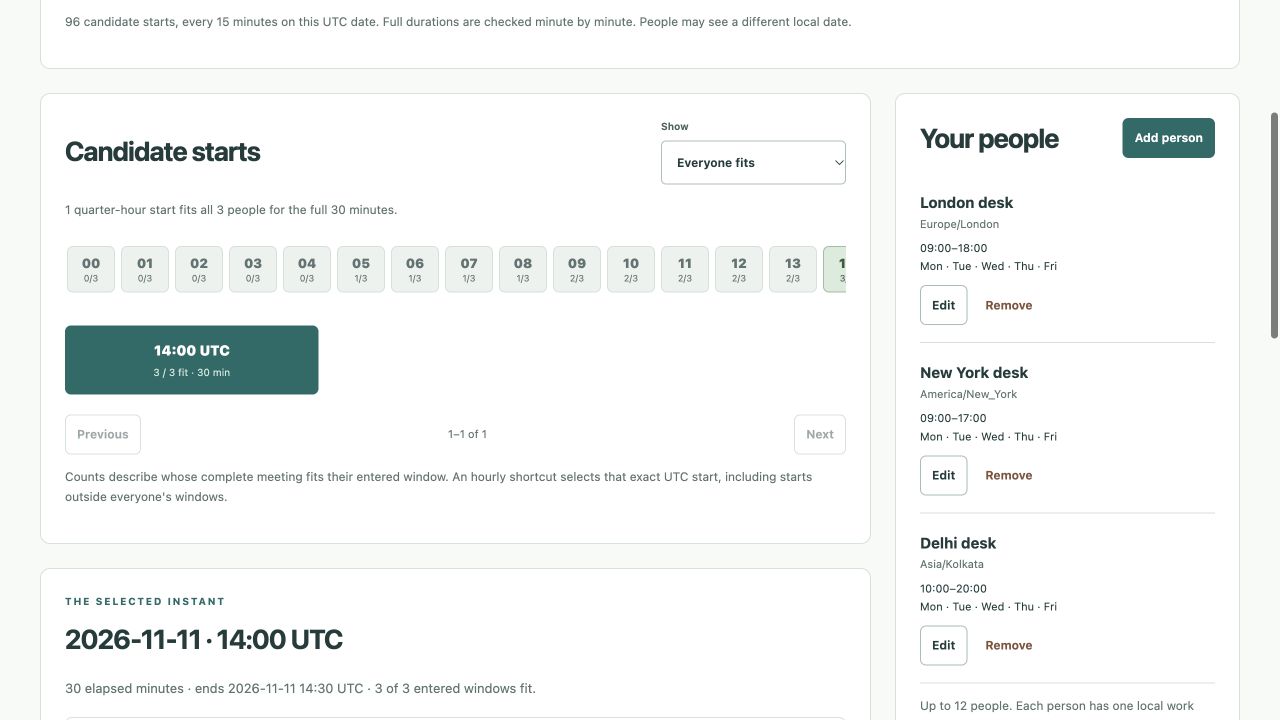
- The app evaluates 96 quarter-hour UTC starting candidates, checking every minute of the full duration.
- Show all-person fits first or rank other candidates by full-duration participant count and UTC time.
- Inspect each person’s local date, start/end and UTC offset for a selected candidate.
- Use up to 30 undo states and editable JSON backups; export selected-slot CSV or one UTC ICS event.
- An event ending exactly at the closing boundary fits; one extending beyond it does not.
A practical workflow
- Choose the UTC day and elapsed duration you want to explore.
- Enter each participant’s actual local window and start weekdays.
- Compare full-overlap candidates and inspect local dates, not only clock times.
- Confirm the slot with people separately, then download the selected-slot report or ICS.
A worked use case
A Monday overnight window is evaluated through its Tuesday finish. Across a daylight-saving transition, elapsed duration is checked rather than subtracting two potentially misleading local clock labels.
What you can keep
- Editable JSON
- Selected-slot CSV
- Single UTC ICS event
Participant labels and settings stay in tab memory. There is no calendar account connection or automatic save.
What it does not promise
- Time-zone rules come from the browser. No live calendar, holiday, leave, split-shift or recurring-meeting data is fetched.
- The hour strip is a shortcut, not the full set of quarter-hour candidates. Equal window times are rejected; use 00:00–24:00 for a full day.
- ICS sends no invitations, adds no attendees and does not connect to a calendar account.
Where to go next
Visit OverlapAtlas Studio or compare the other events & people workflows.