Altfolio Studio · Feature guide · 11 November 2026
Write image alt text with the page context beside it
By İsmail Tekindemir · 3 min read
Ownership disclosure: Taskfield Journal and all 17 featured sites are operated by İsmail Tekindemir. These are owner-written product guides, not independent reviews or paid third-party rankings. No ratings, user counts or traffic claims are implied.
A manual drafting and review desk with local image previews and review-gated HTML.
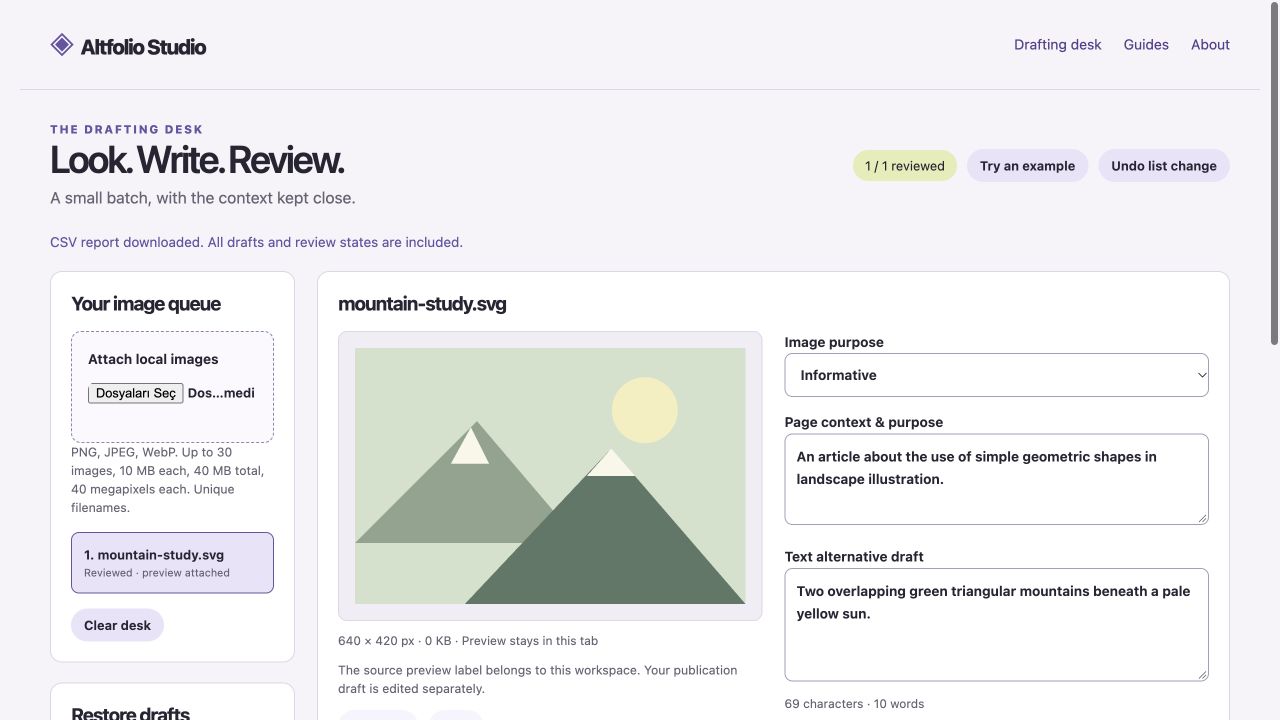
Altfolio helps you think through the role of each image before writing an alternative. It does not generate descriptions with AI or rate accessibility compliance. Its useful structure is the combination of image preview, intended context, image role, a human draft and an explicit review state.
Use the tool when you are ready to try the workflow.
Open Altfolio Studio ↗Opens the separate product website in a new tab.
What it does
- Add PNG/JPEG/WebP previews or use the original example, up to 30 images.
- Record the page context and classify an image as informative, functional, decorative or complex.
- Write the alternative text yourself; simple text prompts are questions to consider, not an accuracy or compliance score.
- Mark a draft reviewed. An empty informative draft cannot be marked reviewed; decorative HTML uses an empty alt attribute.
- HTML export requires every draft to be reviewed; JSON preserves drafts and CSV reports all states.
- JSON does not contain images. Add uniquely named source files again to reconnect previews.
- Input limits are 10 MB/40 megapixels per image, 40 MB active total and 1 MB JSON. A 60 MB preview/history budget may discard old undo states.
- Undo covers list changes rather than every typed character; copying has a download alternative if browser permission blocks it.
A practical workflow
- Add a small set of images with unique filenames.
- Write the intended page context and select each image’s role.
- Draft and review the alternative in that context; decide whether a complex image needs a longer explanation elsewhere.
- Save JSON and export reviewed HTML only after checking source paths and surrounding content in your real site.
A worked use case
A button image needs its function explained in context; an image used only for decoration may need an empty alternative. The same photo can require different text in different pages, so a filename alone is not enough context.
What you can keep
- Editable JSON without images
- CSV review report
- Review-gated HTML snippets
Images and drafts stay in tab memory. No autosave, localStorage or cloud account is used; save JSON before closing.
What it does not promise
- No AI, OCR, visual understanding or screen-reader compliance audit is performed.
- Exported image paths and the final page context still need checking in the destination website.
- The editable JSON omits original images, and undo is not a full text-edit history.
Where to go next
Visit Altfolio Studio or compare the other writing & media workflows.