CueHarbor Studio · Feature guide · 11 November 2026
Fix subtitle timing with shifts, anchors and a cue audit
By İsmail Tekindemir · 3 min read
Ownership disclosure: Taskfield Journal and all 17 featured sites are operated by İsmail Tekindemir. These are owner-written product guides, not independent reviews or paid third-party rankings. No ratings, user counts or traffic claims are implied.
Local SRT/WebVTT text editing with explicit limits and a text-only timing preview.
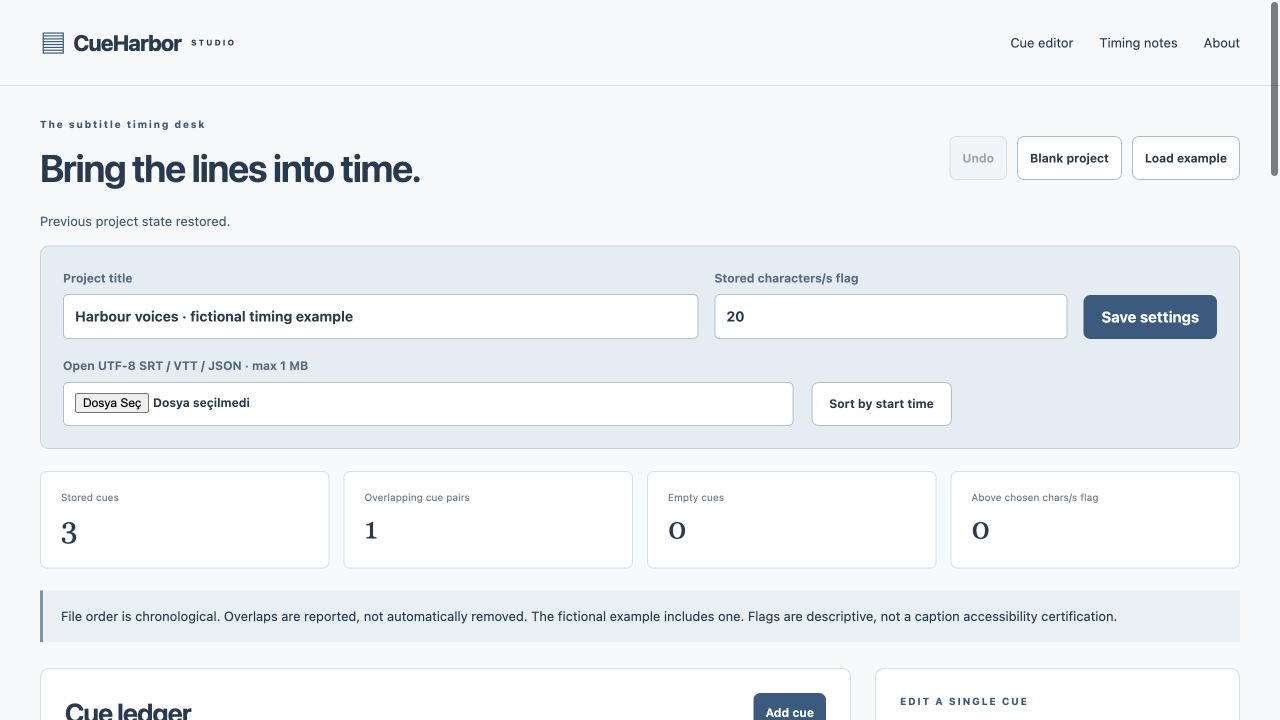
CueHarbor is a timing workbench for subtitle files, not an automatic transcription service. It edits cue text and boundaries, shifts an entire file or applies a two-anchor linear retime, then helps you inspect overlaps and reading-density information before testing the output in your actual player.
Use the tool when you are ready to try the workflow.
Open CueHarbor Studio ↗Opens the separate product website in a new tab.
What it does
- Open UTF-8 SRT, cue-only WebVTT or editable JSON, or paste SRT/VTT text. Limit: 1 MB and 2,000 cues.
- Edit cue start/end/text; browse a 50-cue page list. Filtering affects the list, not which cues get exported.
- Sort by start time explicitly; ordering is not silently changed.
- Shift all cues earlier/later by seconds, or map two reference points using one linear scale and offset.
- Retiming scale must be 0.1–10; boundaries round to milliseconds. Any negative, over-100-hour or zero-duration result rejects the whole operation rather than clipping cues.
- Preview saved plain text at an exact inspect time or 50 ms slider steps, showing at most 10 simultaneous cues; cue end times are exclusive.
- Inspect overlaps and characters-per-second using Unicode code points excluding line breaks; the threshold is user-defined.
- Preserve VTT identifiers/settings in VTT export, regenerate SRT numbering and use up to 30 undo states.
A practical workflow
- Import a supported text subtitle file and inspect cue ordering and audit findings.
- Use a whole-file shift for a constant offset, or two anchors for a linear drift you have measured.
- Review the resulting boundaries and cue text; do not assume the app matched audio.
- Save JSON plus SRT/VTT and test the subtitle file in the intended video player.
A worked use case
A +2-second shift makes every cue later by two seconds. Two anchors can correct a consistent linear drift, but cannot model arbitrary edits or automatically determine the source frame rate.
What you can keep
- Editable JSON
- SRT subtitle file
- Cue-only WebVTT file
Files and text are processed locally. Preview position/search are temporary and not saved in JSON.
What it does not promise
- No video/audio preview, speech recognition, automatic sync, style rendering or positioning preview is supplied.
- NOTE/STYLE/REGION/header metadata, inline karaoke timestamps and blank lines within cue text are rejected.
- CPS includes spaces and markup; it is a review aid, not a reading/accessibility standard. VTT-specific settings are not preserved in SRT.
Where to go next
Visit CueHarbor Studio or compare the other writing & media workflows.