Takeboard Studio · Feature guide · 11 November 2026
Plan a short video’s shots and rehearse its pacing
By İsmail Tekindemir · 3 min read
Ownership disclosure: Taskfield Journal and all 17 featured sites are operated by İsmail Tekindemir. These are owner-written product guides, not independent reviews or paid third-party rankings. No ratings, user counts or traffic claims are implied.
Timed shot cards, cumulative runtime and a local card rehearsal—not a video editor.
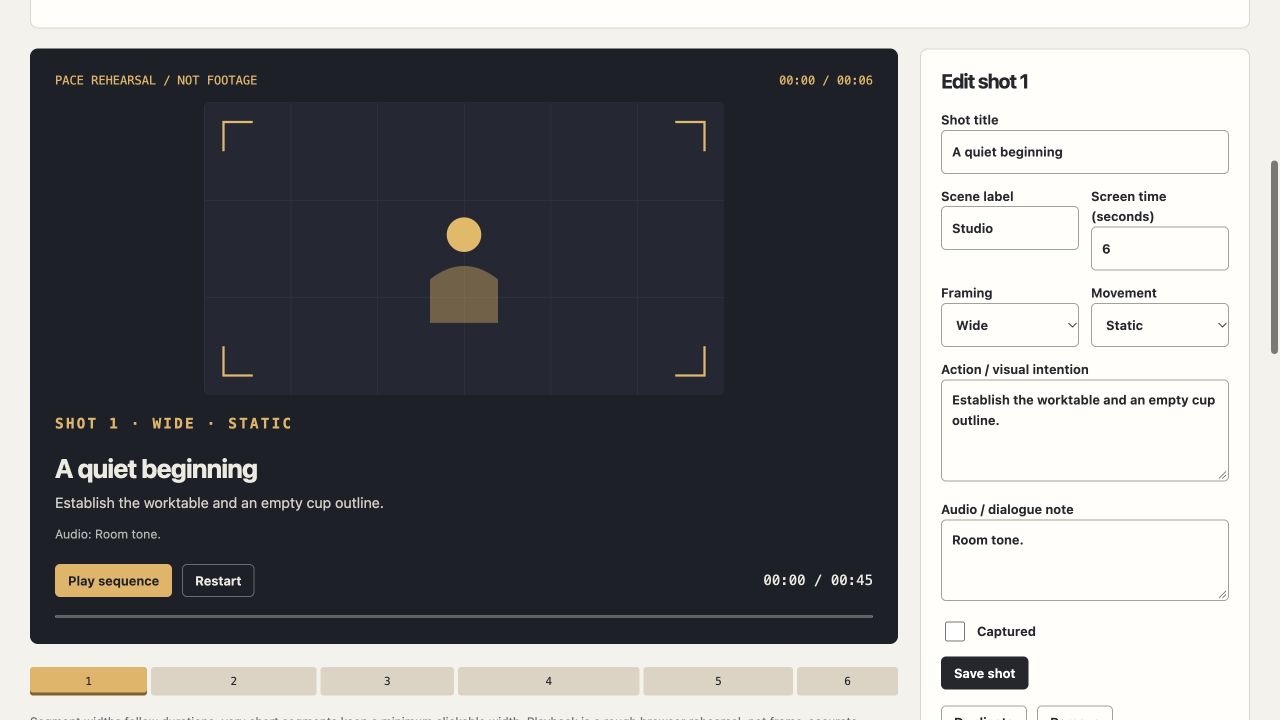
Takeboard is a planning desk for the sequence a viewer will see. It keeps action, framing and sound notes beside estimated on-screen durations, then lets you rehearse the cards in real time. You do not upload a video or grant camera or microphone access.
Use the tool when you are ready to try the workflow.
Open Takeboard Studio ↗Opens the separate product website in a new tab.
What it does
- Create up to 120 ordered shot cards with scene/shot name, 1–600 seconds of screen time, framing, camera movement, action and audio notes.
- Move cards up/down, duplicate or delete them and use a 40-state undo history.
- Search cards or filter shot-complete status; see total runtime and the difference from your chosen target.
- Inspect cumulative timing, jump to a card and run a real-time card rehearsal.
- Use 16:9, 9:16 or 1:1 frame boundaries with original abstract composition sketches.
- Export editable JSON or CSV for all shots with cumulative seconds; filters do not remove rows from the report.
- Save shot/project edits explicitly before changing selection or filter. JSON imports are limited to 1 MB.
A practical workflow
- Set the project’s frame shape and target runtime.
- Add shots with estimated screen durations and specific action/audio notes.
- Reorder the cards and compare cumulative runtime with the target.
- Run the card rehearsal, revise pacing, then save editable JSON and a CSV handoff.
A worked use case
For a 30-second product explanation, make separate opening, demonstration and closing cards. A “shot complete” check records progress; it does not remove that shot from the planned edit or change runtime.
What you can keep
- Editable JSON
- CSV shot list with cumulative timing
Notes and timing calculations stay in tab memory. There is no automatic local saving or cloud sync.
What it does not promise
- No video, audio, rendered animation, PDF or finished media file is exported.
- Durations represent estimated screen time, not the time it takes to film a shot.
- Rehearsal is not frame-accurate; sleeping/background tabs can skip elapsed cards. Camera movement is a written note.
Where to go next
Visit Takeboard Studio or compare the other writing & media workflows.